IBM i is built to handle work that should happen at a specific time, in a specific order, or without user interaction.
That is what batch processing is for. It lets the system handle repeatable tasks such as reports, data transfers, reconciliations, and overnight updates while people focus on interactive work.
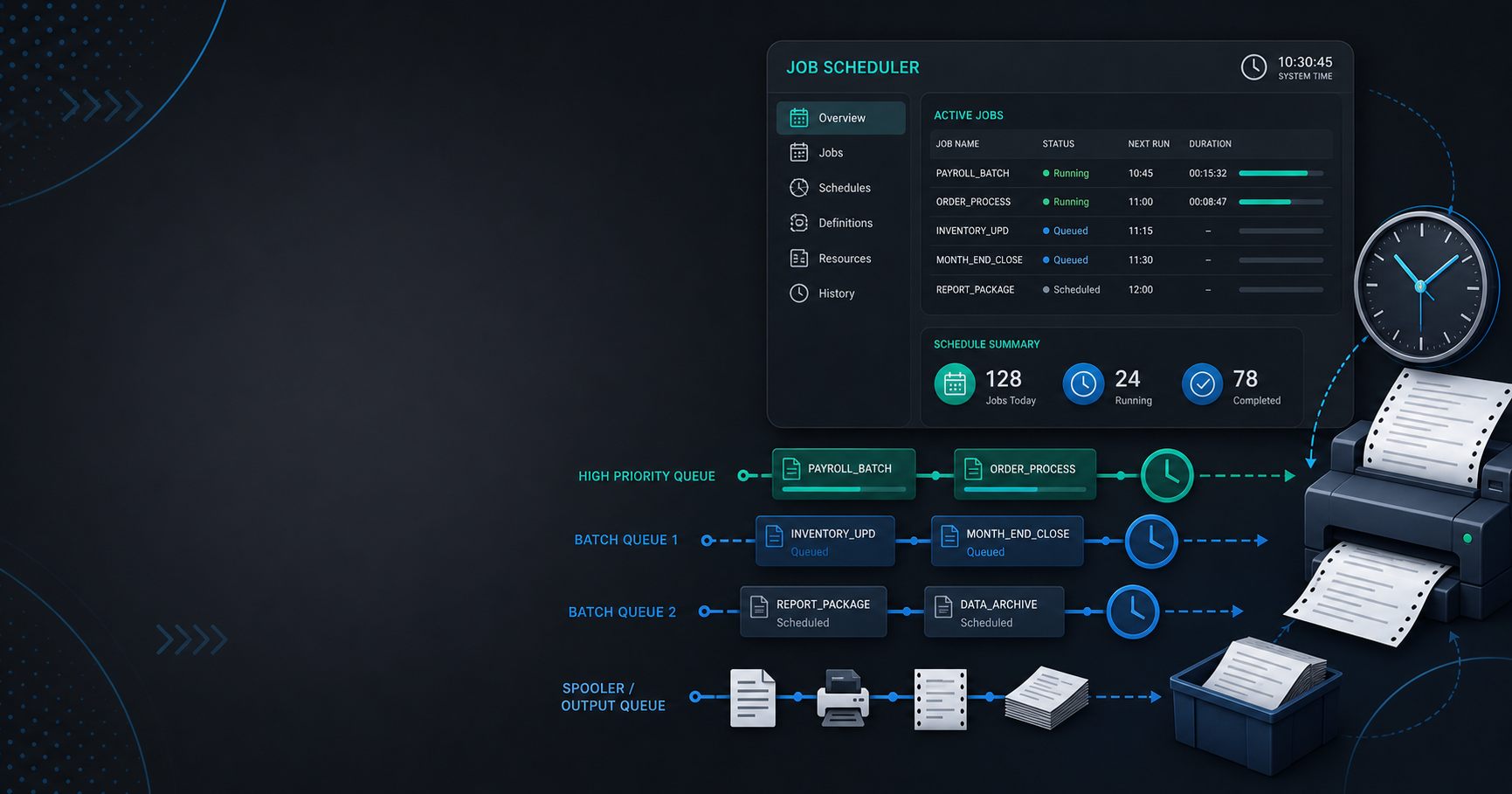
What a job is
On IBM i, a job is a unit of work running under a user profile with defined settings and authorities.
That job may be:
- interactive
- batch-based
- submitted for later execution
- part of a controlled operational workflow
The job concept is central to understanding how the platform behaves.
What batch processing does
Batch processing handles work that does not require a person to sit at the keyboard.
Common examples include:
- nightly file updates
- reporting runs
- billing cycles
- inventory reconciliation
- data imports and exports
Batch work is one reason IBM i remains effective in operational environments. It can process large volumes in a controlled, repeatable way.
What scheduling means
Scheduling decides when work should run.
That can mean:
- every hour
- every night
- at the end of the business day
- after another job finishes
Scheduling helps organizations coordinate work without manual intervention.
Why queues matter
Jobs usually do not run in a vacuum. They are placed into queues and processed according to system rules and priorities.
Queues help the system manage:
- timing
- resource contention
- execution order
- operational priorities
If you understand queues, batch processing becomes much easier to reason about.
Why this matters operationally
Batch processing is not just a technical feature. It is part of how many IBM i shops run the business.
If an overnight job fails, the next morning’s work can be affected. That is why scheduling, logging, and recovery planning are so important.
Common beginner mistakes
Newcomers often assume batch is only “background work.”
It is more important than that. Batch jobs often move the business forward, update records, and produce the output that other teams depend on.
Another common mistake is ignoring timing dependencies. A job that is correct in isolation can still fail when it runs too early or in the wrong order.
A practical takeaway
When you look at IBM i operations, ask:
- What runs interactively?
- What runs in batch?
- Which jobs are scheduled?
- Which queues control the order?
That simple set of questions gives you a much better operational model.
Where this fits in the series
This article helps readers understand the invisible work that keeps IBM i systems running.
If you want the platform overview first, read the pillar article, What Is AS400 (IBM i)? A Complete Beginner’s Guide.