IBM i uses a very consistent object model for organizing data and application assets.
If you are new to the platform, the words library, file, member, and SQL table can sound like they belong to different systems. On IBM i, they are part of one integrated story.
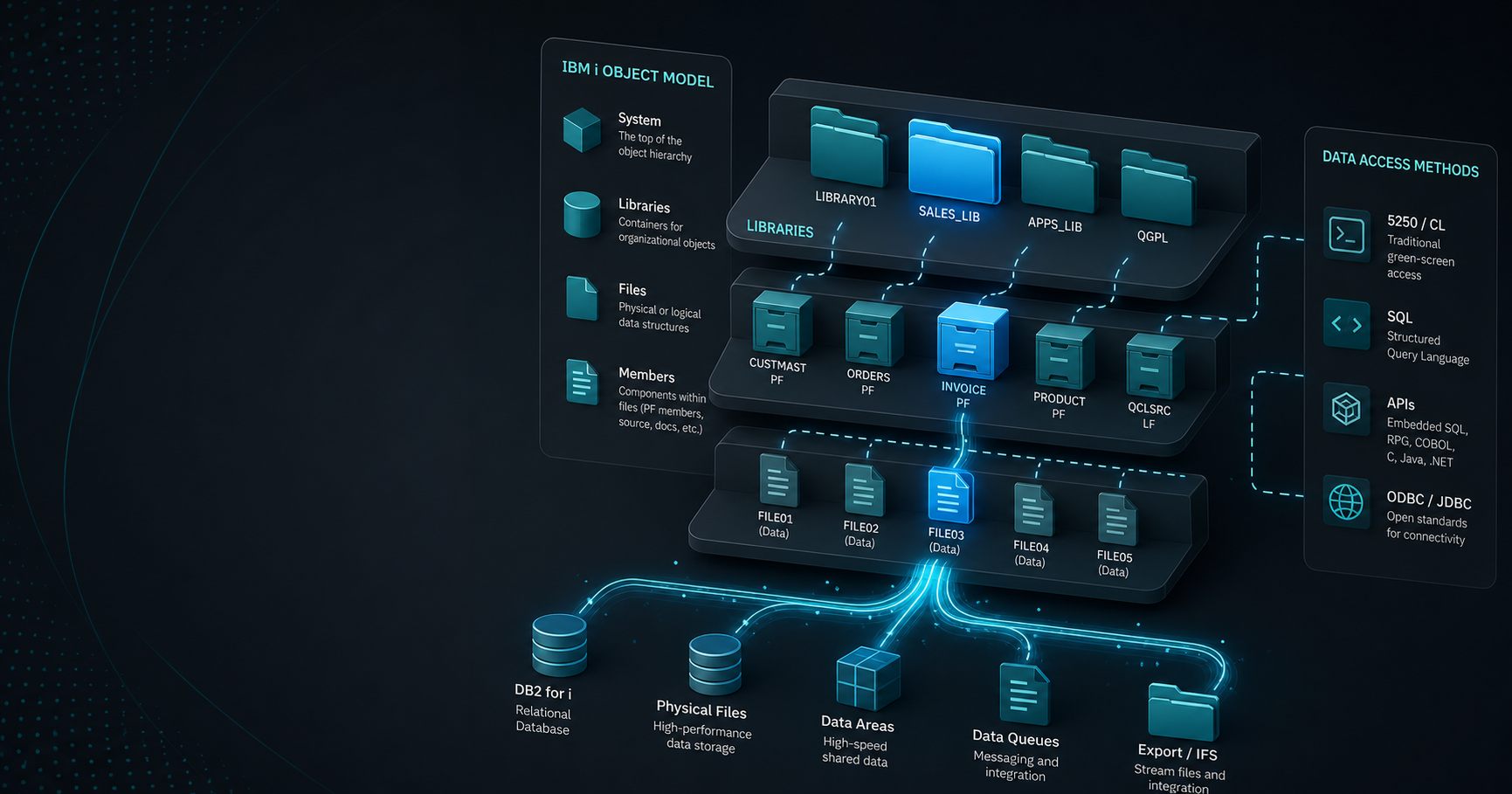
The big idea
IBM i does not treat data as a loose pile of files on disk.
Instead, it organizes application resources as typed objects with names, authorities, and relationships. That is one reason the platform has remained manageable for long-lived business applications.
What a library is
A library is a container for objects.
Think of it as an organized namespace. Libraries help separate application components, isolate related objects, and make naming more predictable. A library can hold files, programs, commands, data areas, and many other object types.
What a file is
On IBM i, the word file can mean more than one thing depending on context.
In application and database conversations, a file often refers to a database file or a logical structure used by a program. The important point is that IBM i uses object-oriented naming in a broader sense than many people expect.
What a member is
A member is a division inside a file.
Older IBM i application styles often used members to hold separate source versions or logical groups of records inside one file object. Source physical files, source members, and data members are common concepts in many environments.
If you come from a modern filesystem mindset, think of a member as a controlled subdivision rather than a separate top-level file.
How SQL fits in
Modern IBM i development often uses SQL directly against Db2 for i.
That matters because SQL gives you:
- clearer queries
- better interoperability
- more portable data logic
- easier integration with modern tools
Older file-based access still exists in many environments, but SQL is the most useful starting point for new work.
Why the model matters
Understanding the object model helps in several practical ways:
- you can find data more quickly
- you can explain application structure to teammates
- you can separate storage concepts from business logic
- you can avoid accidental naming and authority mistakes
This is one of the first subjects that makes IBM i feel less mysterious to newcomers.
Common beginner mistakes
Beginners often assume:
- a library is the same as a filesystem folder
- a file is only a disk file
- SQL is separate from IBM i data structures
- old and new access methods cannot coexist
In reality, IBM i can support both older and newer access patterns at the same time.
A practical example
Imagine a sales application.
One library might contain order-related objects. Inside that library, a file might represent customer records. A program can read that data through traditional file access, through SQL, or through both depending on how the application evolved.
The platform is flexible enough to support those mixed patterns, which is why many environments gradually modernize instead of rewriting all at once.
Where this fits in the series
This article builds the data-model foundation for the programming and database topics that follow.
If you want the basic platform story first, start with the pillar article, What Is AS400 (IBM i)? A Complete Beginner’s Guide.